
How Palante works.
A morning and an evening practice, a few calm tools, a partner who writes back, and a way to see how far you have come. Here is what each part does and how to use it.
Begin with intention. End with reflection.
Two short practices bookend your day. The morning has three steps. The evening has four prompts and shows up from 6 pm.
Set the tone before the day starts.
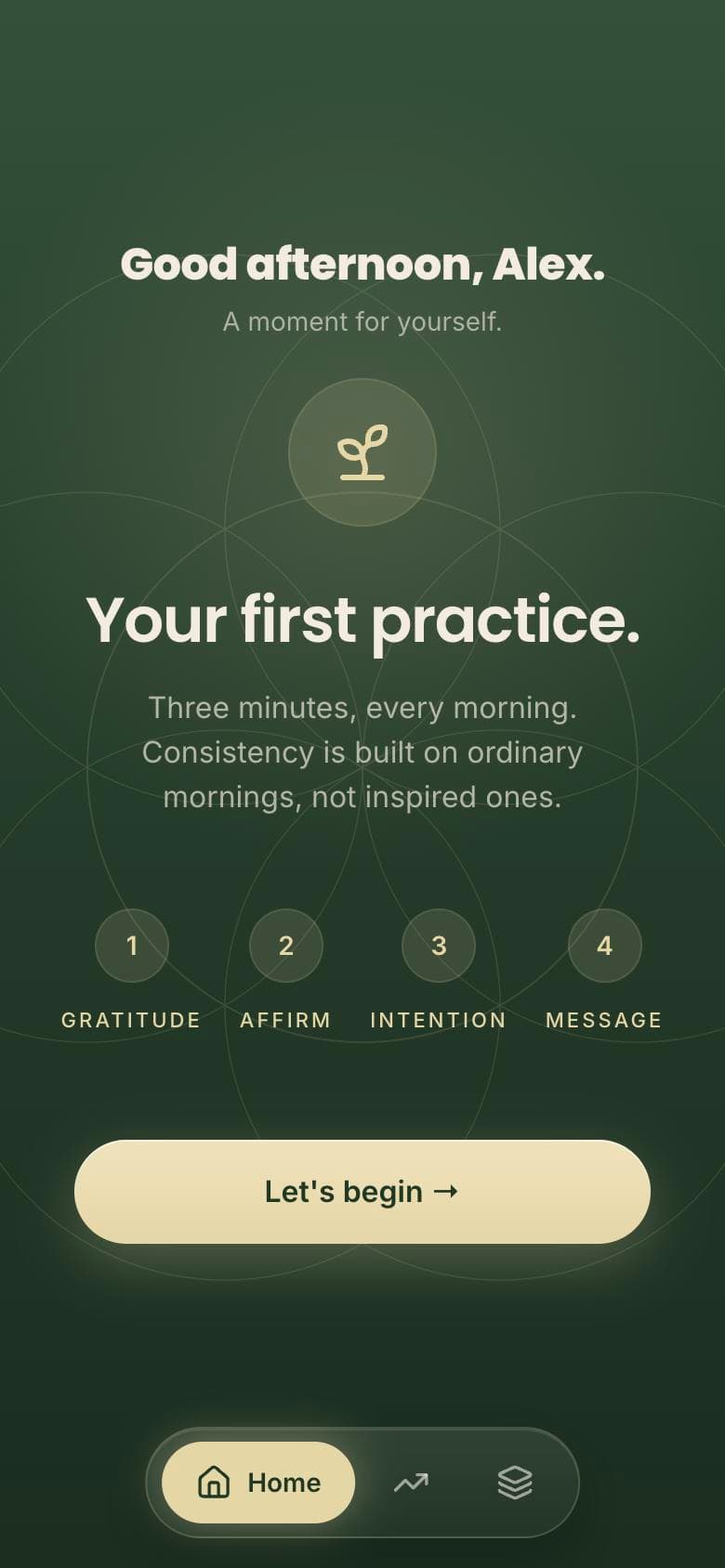
Three steps. You name three things you are grateful for, write three truths about your highest self, and choose one word as your intention for the day. It is meant to be short: the app calls it three minutes, every morning.
When you finish, your partner writes a message from what you shared. You can share it as a card, and you can save your minutes to Apple Health if you want to. That save is optional.
How to use
- Open Palante in the morning and start your practice.
- Write three gratitudes, then three truths about your highest self.
- Choose one word as your intention for today.
- Read your message, share it if you like, and take a short breath to close.
Worth knowing. In one set of studies, people who wrote down what they were grateful for reported more positive feelings. Results vary from person to person. See the sources.


Close the day.
In the evening, Palante offers four short prompts: what you are grateful for, what you learned, what you accomplished, and what delighted you.
You finish with a short closing note from your partner and a card you can share. It is a way to notice the day, not to grade it.
How to use
- Open Palante any time after 6 pm.
- Answer the four prompts in a line or two each.
- Read the closing note, and share the card if you want to.
Worth knowing. A large review of studies on expressive writing found a small positive effect on average, and it varies from person to person. Palante’s evening prompts have not been tested in those studies. See the sources.
Calm, when you need it.
Not every moment needs a full morning or evening practice. Breathwork, meditation and soundscapes are there for the in-between moments.
The art of moving forward.
Explore is the third tab, next to Home and Progress. Breathwork, Meditation and Soundscapes sit at the top. Below them, under Reflections, you will find Weekly Insights, This Week’s Achievements and Letters to Your Future Self.
How to use
- Tap Explore in the bottom bar.
- Pick Breathwork, Meditation or Soundscapes.
- Soundscapes and the Koi Pond are also one tap away from the icons in the header.

Three patterns, five minutes each.
Pick the pattern that fits the moment. Focus uses box breathing (4-4-4-4). Relax uses 4-7-8. Balance uses coherent breathing (6-6). There is also a dark sensory mode.
How to use
- Open Explore and tap Breathwork.
- Choose Focus, Relax or Balance.
- Tap Start session and follow the guide.
Worth knowing. Research suggests slow, paced breathing may help some people feel calmer. Palante offers it as a practice, not a treatment. See the sources.

A timer, an intention, a mantra.
Set a timer from 5 to 60 minutes and write an intention. Choose a mantra if you want one: Om, So Hum, Namah Shivaya, Lokah or Gam.
Pick an atmosphere, or build your own with the full sound mixer and save the mix. A gong marks the end.
How to use
- Choose how long to sit, from 5 to 60 minutes.
- Write an intention, then pick a mantra and an atmosphere.
- Begin, and listen for the gong at the end.
- Add a reflection note if something came up.
Worth knowing. A review of meditation programs found small to moderate benefits on some measures, such as anxiety and depression, and weaker evidence on others, including stress. Palante’s timer is a place to sit, not a treatment. See the sources.

Awake. Focus. Relax. Sleep.
Four quick keys start a ready-made session. Or open the mixer and layer 43 sounds across eight categories: Nature, Ambient, Heritage, Focus, Noise, Zen, Bilateral and Sleep.
Save up to 8 mixes of your own. Sounds loop smoothly and keep playing with the screen locked.
- Awake
- 10 minutes that build with marimba and rhythm.
- Focus
- 25 or 50 minutes, or until you stop.
- Relax
- A paced 4-7-8 breath, for 10 or 20 minutes or until you stop.
- Sleep
- 45 minutes or all night, quieter, with a long fade.
How to use
- Tap a quick key to start, or open the mixer and layer your own sounds.
- Use Make it yours to swap a key for one of your saved mixes.
- Try the ready-made mix Caribbean Nights.
Worth knowing. The research on binaural tones is mixed, so Palante offers them as atmosphere, not treatment. See the sources.

Written around you.
Palante has one voice, your partner. It writes from what you share, in the tone you choose, and you decide whether it writes at all.
A note written from your own words.
After each practice, your partner writes a short message from your own words. Its default name is Palante, and you can give it a name of your own.
These messages are written by AI. You can turn that off, as described below.
How to use
- Finish a morning or evening practice.
- Read your message, then share it as a card if you like.
- After a morning practice, you can pin your message to the home screen widget (small and medium sizes, iOS 17 or later).

Choose how it talks to you.
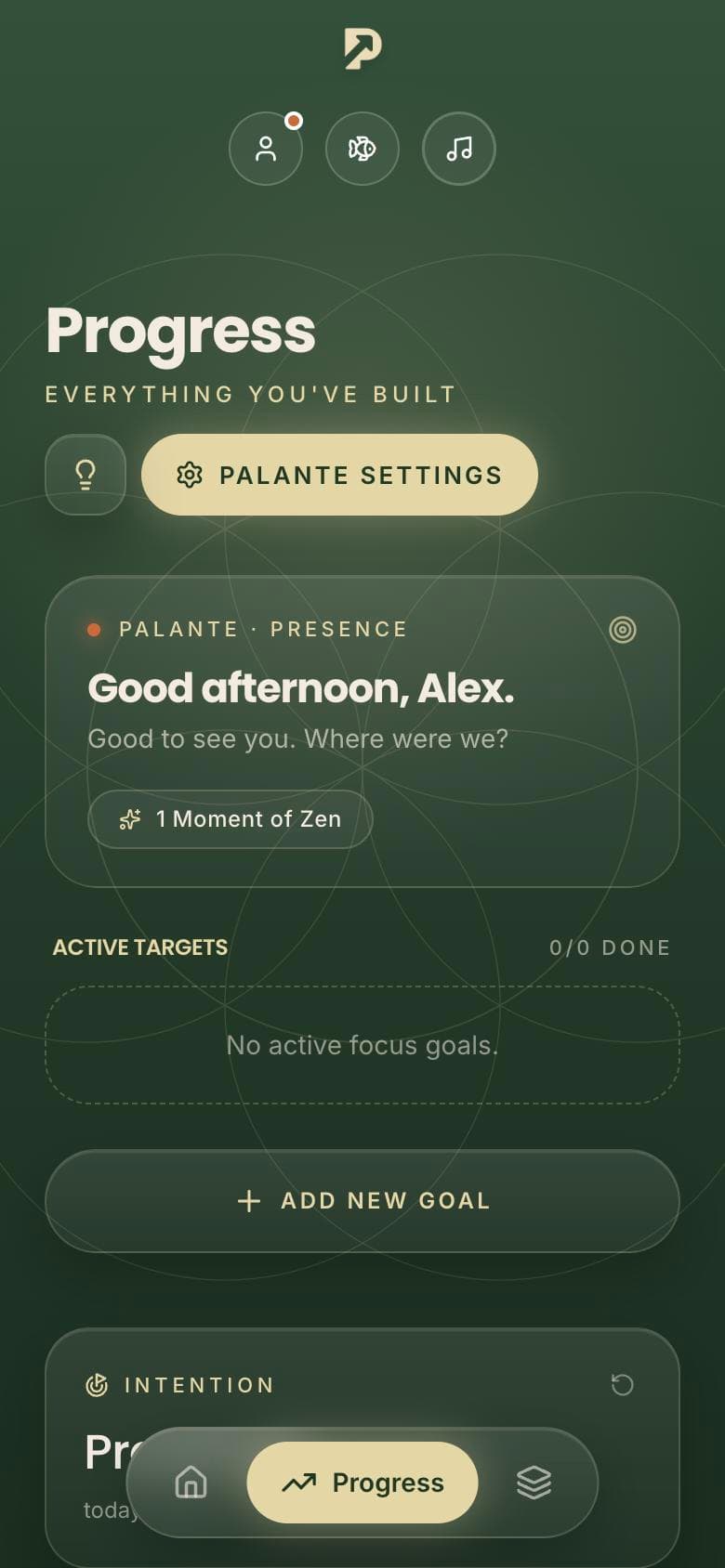
Pick the tone that fits you: Nurturing, Direct or Accountability. You can change it later in Palante Settings, on the Progress tab.
How to use
- Open the Progress tab.
- Tap Palante Settings.
- Choose a tone, and decide whether you want daily tips.
AI is on, and you can turn it off.
Six things in Palante are written by AI: your morning message, your evening message, the weekly reflection and its letter, your Day 90 story, your yearly letter, and the short progress note in Settings. Everything else is hand-written by Palante, including the daily lines, science facts and nudges.
To write those six, the app sends Anthropic, the company that makes the model, what you wrote and the profile details you added. Palante’s own commitment: we do not use it to train AI models, we do not sell it, and we never use it for advertising. How Anthropic handles what it receives is described in its privacy policy (opens in a new tab).
Turn AI off and nothing you write is sent to an AI provider. The six things do not appear, and the rest of the app works the same.
How to use
- Open Settings from the person icon in the header.
- Find Enable AI Features and switch it on or off.
- Read How Palante uses AI for the full list.

A weekly look back, and a Sunday letter.
In Explore, under Reflections, This Week’s Achievements gathers your weekly wins. On Sunday, a letter from your partner comes with it.
The weekly reflection and its letter are written by AI, so they appear only while AI is on.
How to use
- Open Explore and scroll to Reflections.
- Tap This Week’s Achievements.
- Read your wins, and the Sunday letter when it arrives.
Progress you can see.
Palante keeps a quiet record of how far you have come. It shows up as a mandala, a pond and a few letters.
A mandala that blooms across 90 practices.
On Home, the Mandala of Growth fills in as you practice, and it reaches new rings at 10, 28, 55 and 90 practices.
Home also shows today’s intention, your goals (up to five), a daily line and a few Essential Tools.
How to use
- Finish a practice and open Home.
- Watch the mandala fill in over your first 90 practices.
- Use Share on a milestone card to send it to someone.

A pond that grows as you do.
The Koi Pond is a quiet place to rest your eyes, and it grows with your practice. Every so often a koi may visit as a small, ambient moment.
How to use
- Open the Koi Pond from the icons in the header.
- Keep practicing and watch the pond fill.
- Turn the ambient koi visits off in Settings if you prefer.

We are not here to optimize you.
Streaks and milestones
Palante counts your streak and marks milestones from your first practice up to 365. You can share them as cards.
Rest days
Missed a day? Palante asks, “Was that a rest day?” Say yes and your streak stays.
Weekly Insights
In Explore, under Reflections. A look at the patterns in your own practice, worked out by simple rules, not by AI.
Letters to your future self
Seal a letter for 30, 60 or 90 days, six months, or a date you choose. Letters are stored in your profile and sync when you are signed in.
Your Year, Forward
An annual letter on the Progress tab that looks back on your year. It is written by AI, so it appears only while AI is on.
Day 90 Growth Story
At day 90, Palante writes a Growth Story that looks back on the stretch you just walked. You can share it. It is written by AI.
Start with one morning.
See how the day feels.
Join the betaPalante is a daily practice, not medical care, therapy or a crisis service. If you are struggling, in the US you can reach 988 or text HOME to 741741. For other countries, see findahelpline.com.